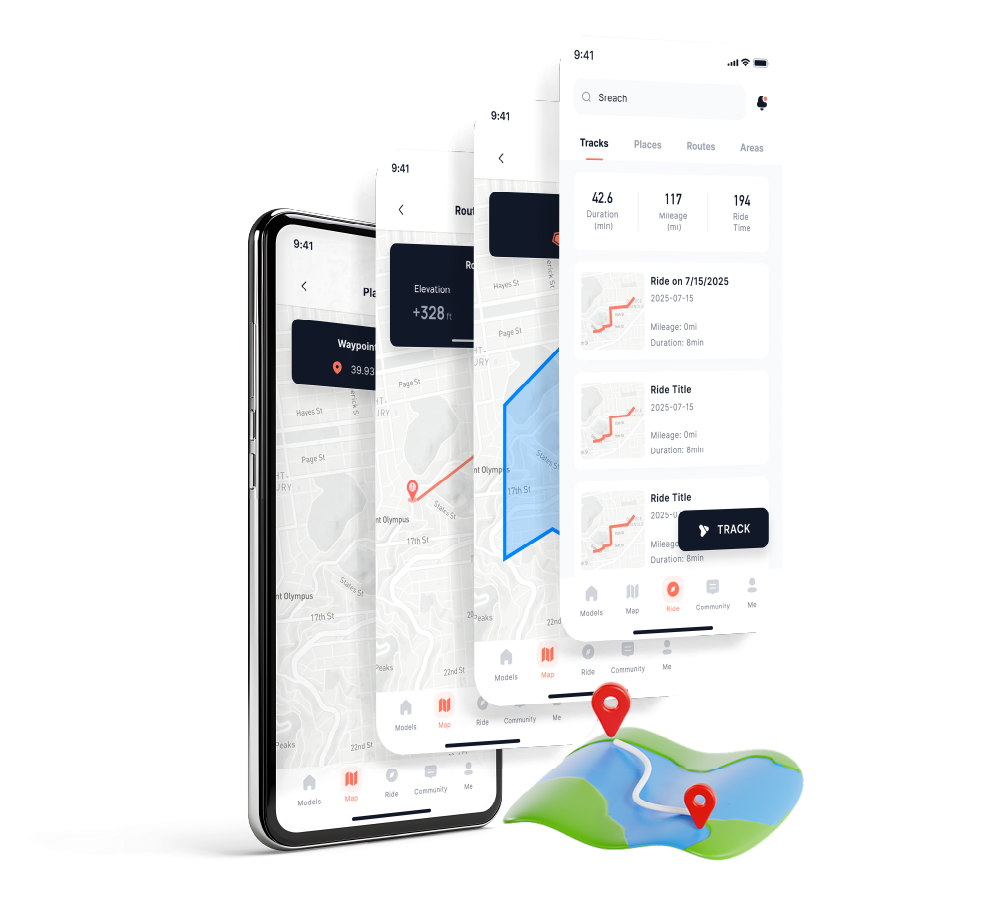
 SMART RIDER APP
Core Smart Security Features:
Vehicle Locator: Provides real-time GPS coordinates. If you forget where you parked in a vast forest or if your vehicle is moved without your knowledge, you can pinpoint it instantly.
GEO-Fencing: This is your digital perimeter. You can draw a boundary on the map (e.g., around your house or trailer). If the ATV crosses that line, your phone will trigger an immediate anti-theft alert.
Real-Time Health Monitoring: Beyond location, you can check your battery voltage, oil levels, and torque data remotely to ensure the vehicle is ready for your next ride.
Step-by-Step: How to Connect Your SWM ATV
To get the tracking feature working, you need to "pair" your vehicle with the app. Follow these steps:
1. Download the App
Search for "SWM-SMART RIDER" in the Apple App Store or Google Play Store. Download and register an account using your email or mobile number.
2. Activate Your Vehicle (The Pairing)
Turn your ATV's ignition to the "ON" position (ensure the battery has power).
In the app, select "Add Vehicle."
Scan the QR Code: Your ATV's TFT dashboard display will have a unique QR code in the settings menu. Scan this with the app to link your vehicle’s internal T-BOX (the hardware that handles GPS and data) to your account.
3. Enable Location Permissions
For the tracking to work in the background, your phone must grant the app "Always Allow" location access. This ensures you get geofencing alerts even when the app isn't open.
4. Open "Mapping Service"
Once connected, tap the Mapping Service icon. You will see a live map with a pin representing your ATV. You can toggle between standard maps and satellite views to see exactly which trail or clearing your vehicle is in.
Pro-Tips for Successful Tracking
Mind the Signal: The GPS tracking relies on cellular signals (2G/4G/5G). If your ATV is parked deep in a canyon or a remote "dead zone" with no signal, the app will show the last known location until the vehicle reaches an area with reception.
Watch the Battery: The GPS/T-BOX module draws a tiny amount of power from the ATV’s battery. If you store your ATV for several months without a trickle charger, a dead battery will eventually kill the GPS signal.
OTA Updates: SWM frequently pushes Over-The-Air (OTA) updates to the vehicle's firmware. Check the "System Update" section in your app regularly to ensure your GPS tracking remains accurate and bug-free.
The Verdict: With the SWM-SMART RIDER app, you no longer have to worry about the security of your investment. Whether it's for anti-theft or just finding your way back to camp, your ATV is always just one tap away.